Inventory and units
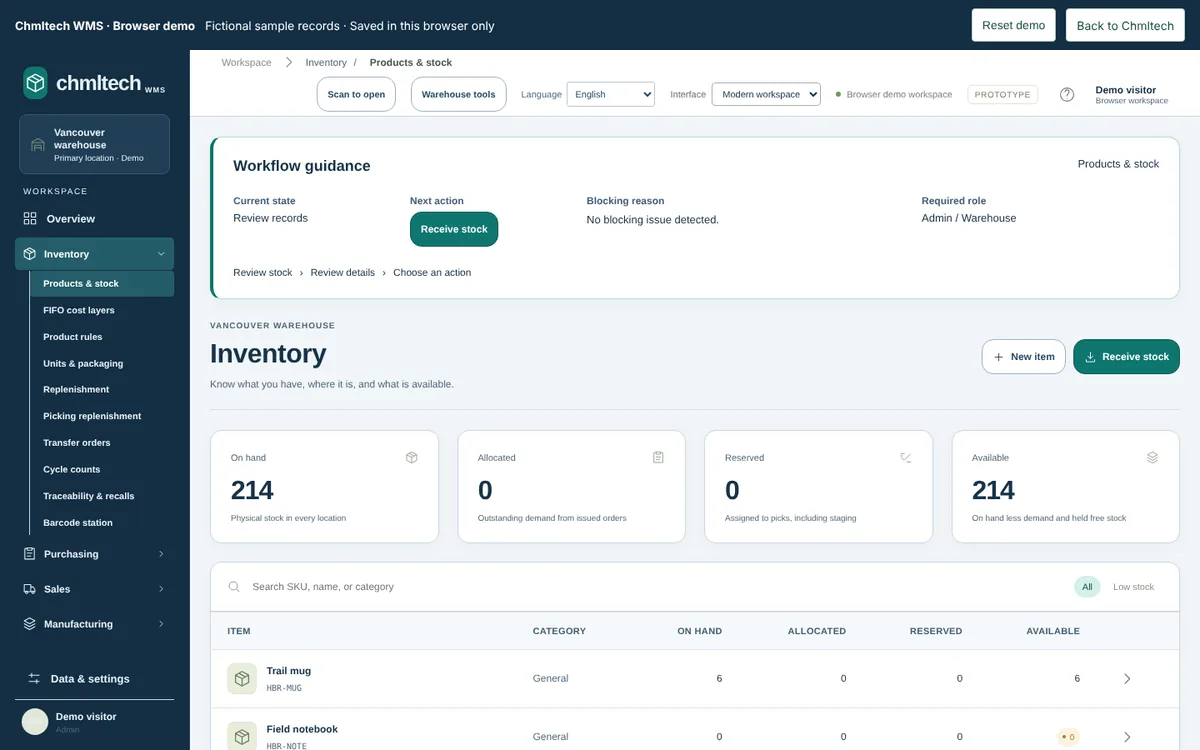
Stock by location and lot, FIFO cost layers, reorder rules, transfers, cycle counts and traceability. Sample products come in Each, Pack of 3, Carton of 12 and Pallet of 480.

Free interactive demo · Chmltech WMS
Receive, pick, pack and ship, with no sign-up.
Chmltech WMS is a working warehouse management system with fictional sample data. Receive a purchase order, pick and ship a sales order, and watch stock, locations and costs update as you go.
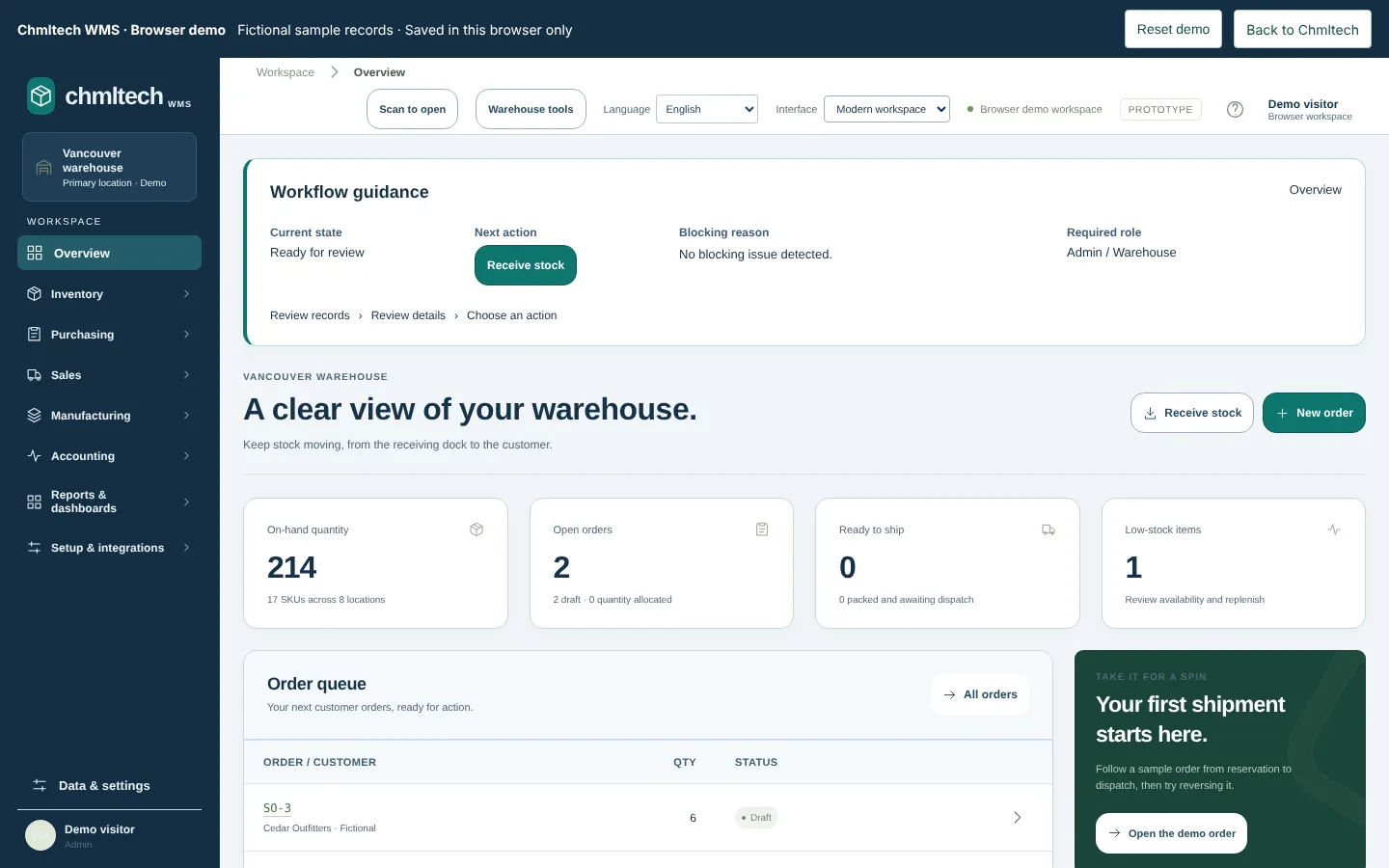
What you can try
Every screen works with the same sample records, so a change in one module shows up everywhere else.
Stock by location and lot, FIFO cost layers, reorder rules, transfers, cycle counts and traceability. Sample products come in Each, Pack of 3, Carton of 12 and Pallet of 480.
Purchase orders, receiving with quality inspection holds, directed putaway, supplier returns and purchase cost reconciliation.
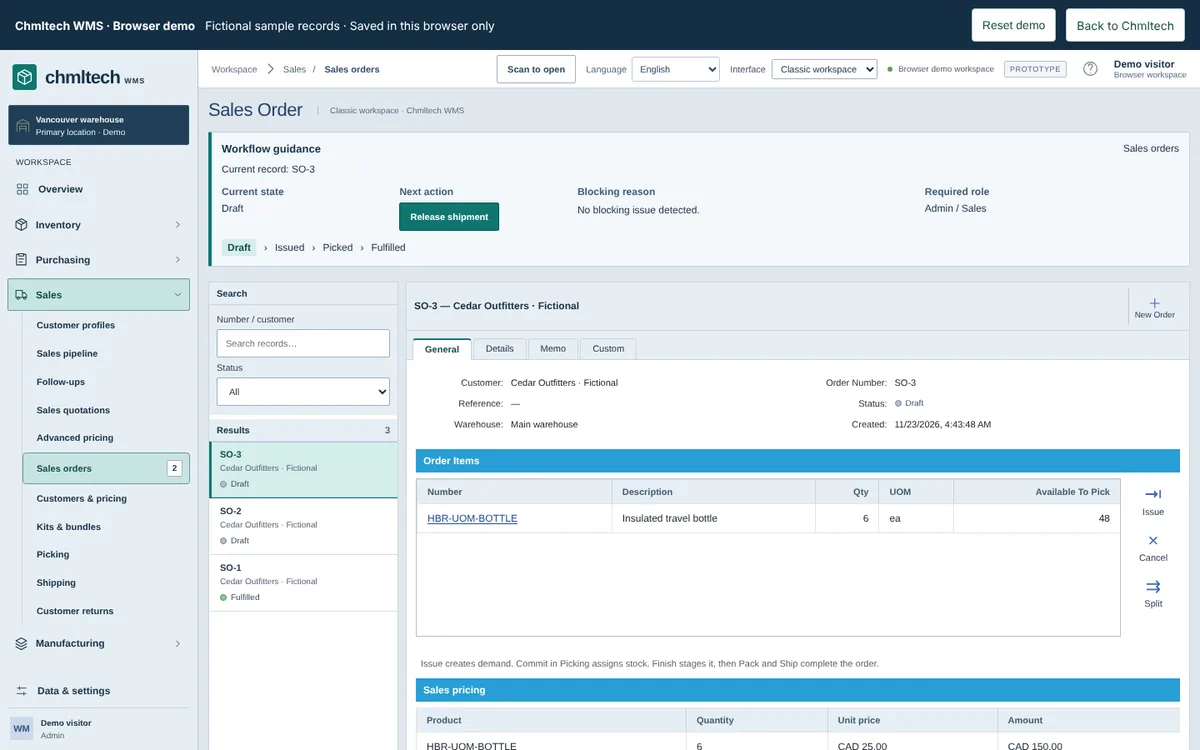
Quotes, sales orders, kits, picking, packing and shipping, with customer returns and packing slips.
Multi-level bills of materials, manufacture orders, material issue, labour approval and a production schedule.
Invoices, supplier bills, credits, payments, inventory journals, stock reconciliation and historical valuation.
Business and warehouse dashboards, demand forecasting and a report centre built from the same records.
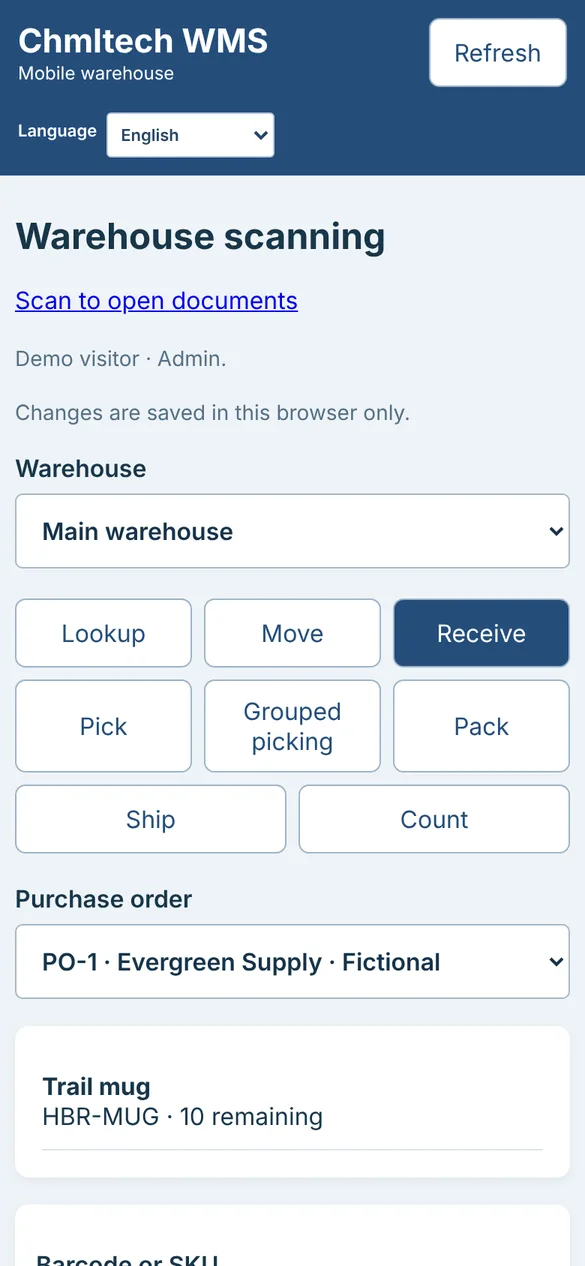
Mobile pages for lookup, receive, move, pick, pack, ship and count, plus a document scanner that opens records by barcode.
A classic record-and-tab layout or a modern layout, in English, French, Simplified Chinese or Traditional Chinese.
Try it in 10 minutes
Each link opens the demo at that screen. The demo's help button (?) shows the same walkthrough.
Open Purchasing and receive the sample purchase order: two cartons of the insulated travel bottle, which is 24 bottles.
Open Purchasing →In Inventory, see how Each, Pack of 3, Carton of 12 and Pallet of 480 convert, and edit a unit if you like.
Open Inventory →Open the draft sales order for two packs (6 bottles) and issue it. The order now needs stock reserved and picked.
Open Sales orders →In Picking, reserve (commit) the stock and work the pick through to Finished. A shipment is created.
Open Picking →In Shipping, confirm packing and ship. On-hand stock falls by 6 bottles and the order is fulfilled.
Open Shipping →Use Reset demo at the top of the demo whenever you want the original sample warehouse back.
Open the demo →Screens
Your data
The demo app has no server. Your sample warehouse lives in your own browser, so you can experiment freely. Privacy.
Is it time for a WMS?
When paper, an ERP module, a cloud WMS or an enterprise system pays, costed from 50 to 1,200 orders a day.
Read Part 7 →Answer a few questions about your business and see which software categories, including WMS, fit your needs.
Start the assessment →Requirements, shortlists, scripted demos, scoring and total cost of ownership, in 16 short lessons.
Start the course →More on running a better warehouse: the warehouse operations series and the warehouse layout series, or our distribution and warehousing services.
Questions
Yes. It runs in your browser with no sign-up, download or payment.
Only in your browser's storage on the device you are using; your records are not saved on any server. Clearing your browser data or pressing Reset demo removes them. Like the rest of chmltech.com, the demo uses Microsoft Clarity analytics, with record details masked; see our Privacy page.
Yes. The main screens work on a phone, and the demo includes phone pages for scanning, receiving, picking, packing and counting. Each device keeps its own separate sample warehouse.
The demo runs on fictional records saved in your browser, so it is not set up for live operations. If you would like to talk about using Chmltech WMS in your business, or you are choosing between WMS options, book a call and we will help you work out what fits.
English, French, Simplified Chinese and Traditional Chinese. Choose the language at the top of the demo.
Book a strategy call. We will talk through your goals, pain points and where AI, systems or process work can make the biggest difference.